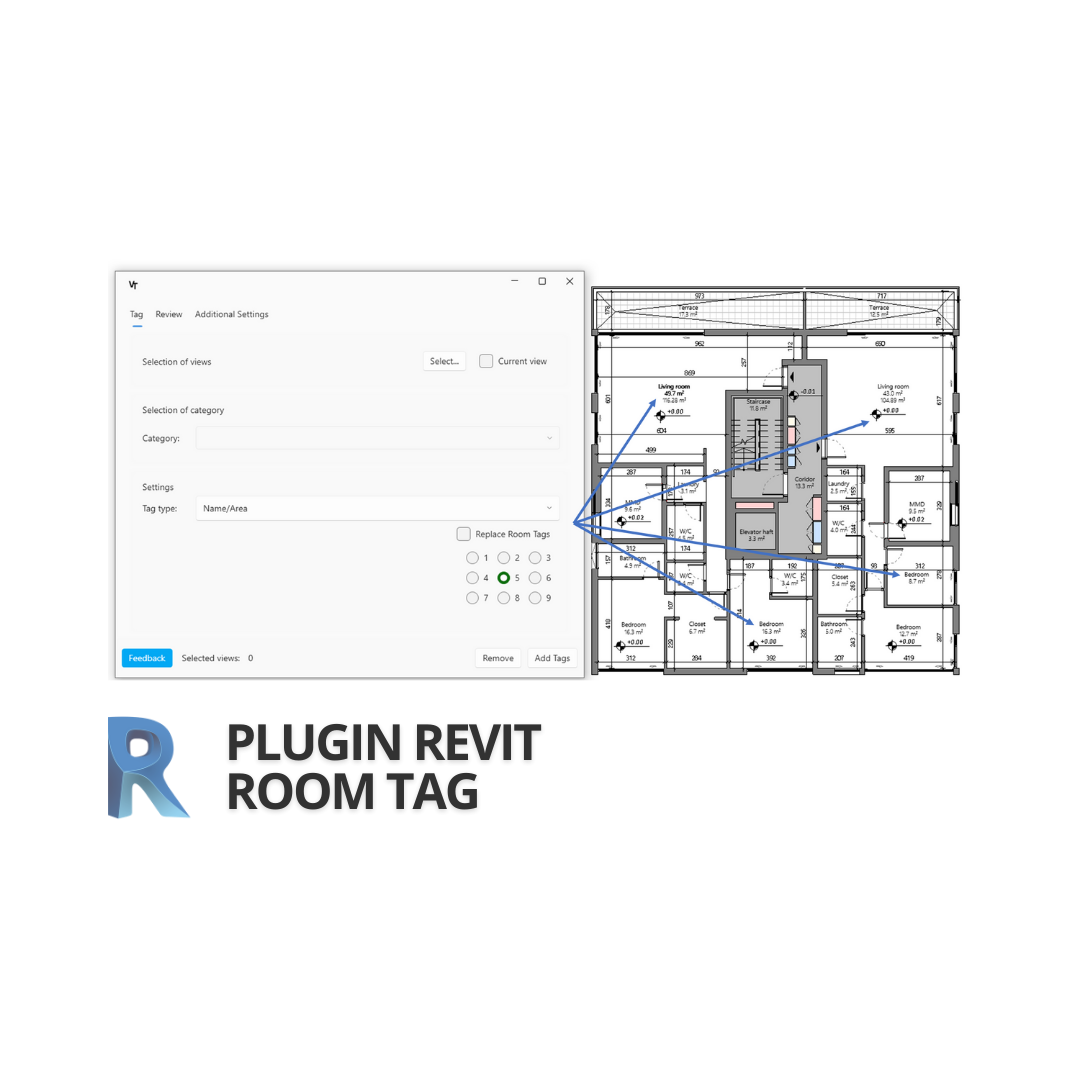
RoomTag: A Free Revit Plugin for Fast and Accurate Room Tagging
RoomTag is a free plugin for Autodesk Revit that automates the placement of room tags across selected project views. It's especially useful for architects preparing drawings and for MEP engineers working with linked models.
Plugin Features
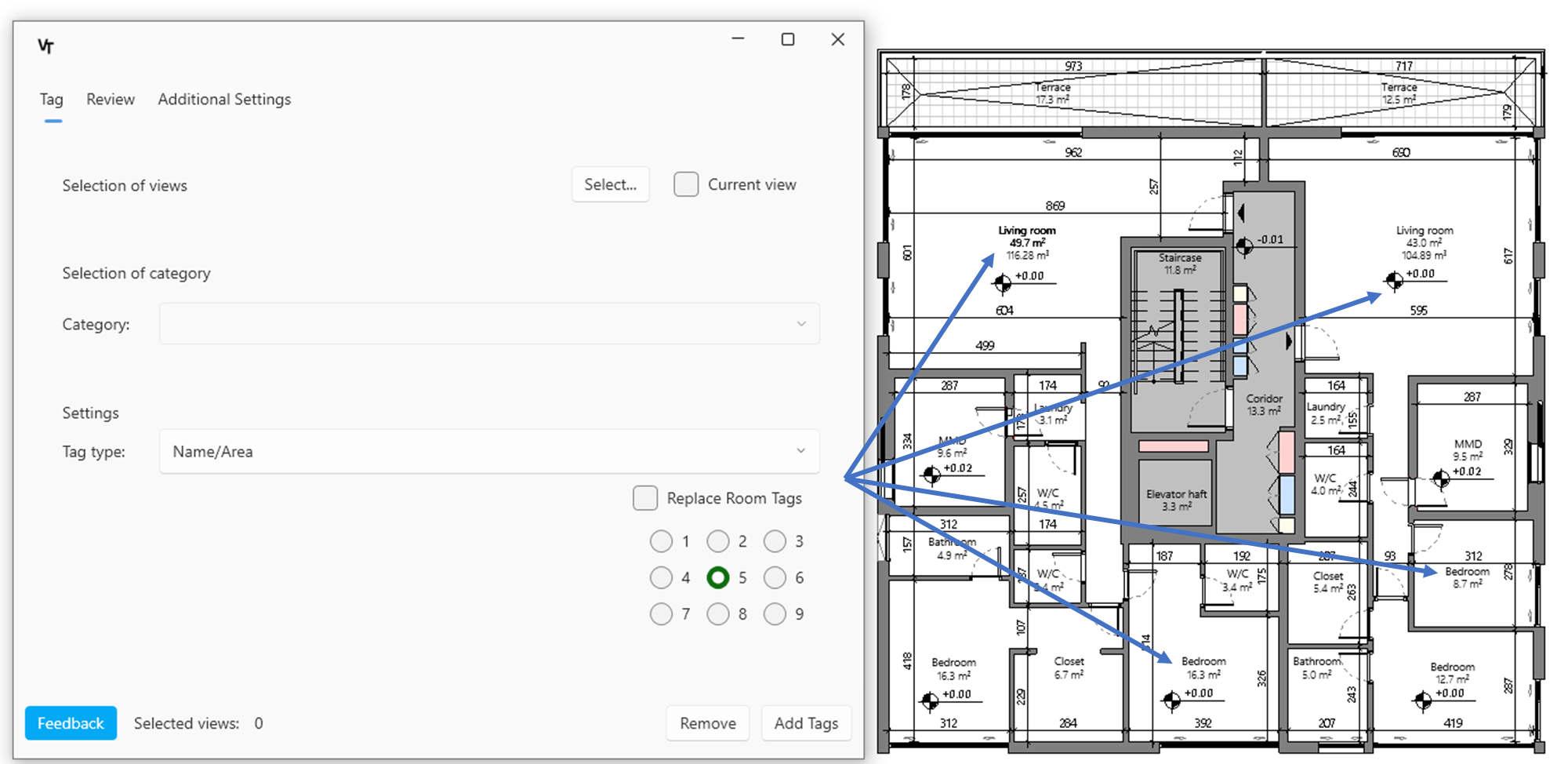
- Quickly place or update room tags on one or multiple views in just a few clicks
- Instantly identify untagged views via the Review tab
- Remove all room tags from a view with one click
- Choose the desired room tag type before placing
- Automatically apply tags across multiple selected views
- Easily review results in the Review tab before exporting documentation
Example Use Case
RoomTag is designed to speed up and simplify room tagging. Here's how it works:
1. Open the Review tab to identify views that are missing room tags
2. Click Remove Tags to clear existing tags from the active view
3. Select the appropriate tag type and apply it to all rooms on the view
4. For multiple views, select them using the Select button and run batch tagging
5. Review results in the Review tab to ensure accuracy before publishing
2. Click Remove Tags to clear existing tags from the active view
3. Select the appropriate tag type and apply it to all rooms on the view
4. For multiple views, select them using the Select button and run batch tagging
5. Review results in the Review tab to ensure accuracy before publishing
Why It Matters
RoomTag saves time and reduces manual errors in documentation. On typical mid-size projects, the plugin can help users cut tagging time by up to 70%, especially when working with multiple floor plans or linked files.
It’s a fast, reliable tool that improves documentation quality and frees up time for design and coordination.
Download the plugin from our website:
See examples of our completed projects:
📧 alexander@virtex.tech
📞 +44 79 3399 8618